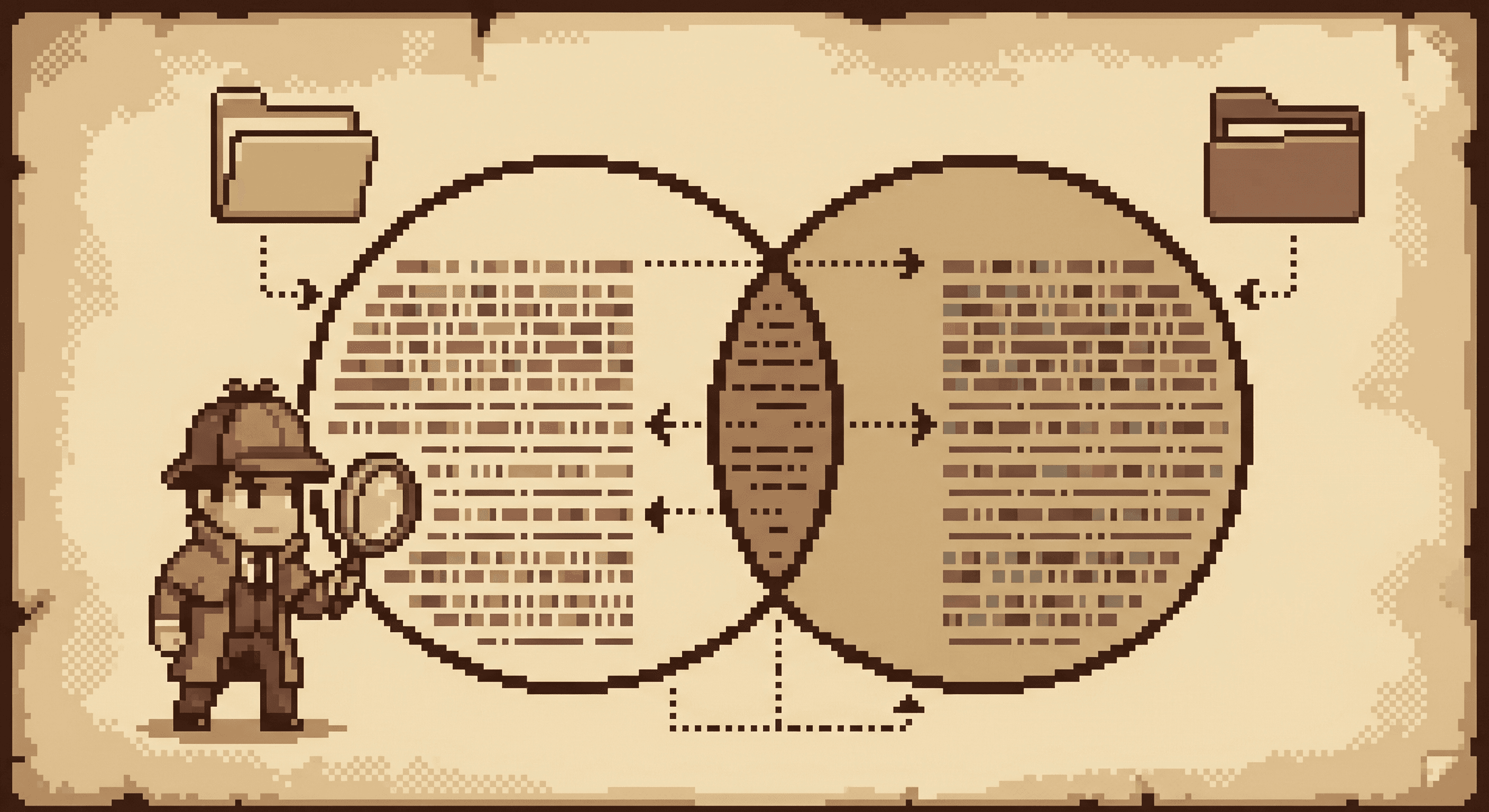
JOINs connect tables. Master these six types and you can query any relational database. Here is every SQL JOIN type with visual diagrams, real examples, and the practical patterns that most tutorials skip.
Imagine you are a detective with two case files. One lists all the suspects with their IDs and names. The other logs every interview, each referencing a suspect by ID. To crack the case, you need to connect these files and match each interview to its suspect.
That is exactly what a JOIN does. It combines rows from two or more tables based on a related column (usually an ID that appears in both tables). The type of JOIN you choose determines which rows make it into your result.
SQL has six join types: INNER, LEFT, RIGHT, FULL OUTER, CROSS, and SELF. We will cover every one of them with diagrams, code, and results.
📋 suspects
🔑id
name
role
📋 interviews
🔑id
suspect_id
statement
date
📋 suspects
🔑id
name
role
📋 interviews
🔑id
suspect_id
statement
date
suspects.id→interviews.suspect_id1:N(has)
Our case files: suspects table linked to interviews table via suspect_id
Our Example Data
suspects
| id | name          | role       |
|----|---------------|------------|
| 1  | Marcus Webb   | Manager    |
| 2  | Diana Cross   | Accountant |
| 3  | Victor Stone  | Security   |
| 4  | Elena Morris  | Intern     |
interviews
| id | suspect_id | statement      | date       |
|----|------------|----------------|------------|
| 1  | 1          | "I was home"   | 2026-01-15 |
| 2  | 2          | "At the bar"   | 2026-01-16 |
| 3  | 5          | "No comment"   | 2026-01-17 |
Notice: Suspects 3 and 4 have no interviews. Interview 3 references suspect_id 5, who does not exist in our suspects table.
INNER JOIN: Only the Matches
INNER JOIN is the strictest type. It only returns rows where there is a match in both tables. Suspects without interviews are dropped. Interviews referencing non-existent suspects are dropped. Only the overlap survives.
INNER JOIN returns only the overlapping center
Example:
SELECT s.name, s.role, i.statement
FROM suspects s
INNER JOIN interviews i ON s.id = i.suspect_id;
Result:
| name         | role       | statement    |
|--------------|------------|--------------|
| Marcus Webb  | Manager    | "I was home" |
| Diana Cross  | Accountant | "At the bar" |
Only 2 rows. Victor Stone and Elena Morris have no interviews. The interview referencing suspect_id 5 has no matching suspect. All three are excluded.
💡 Quick tip
Writing JOIN without a keyword defaults to INNER JOIN. So FROM suspects s JOIN interviews i ON ... and FROM suspects s INNER JOIN interviews i ON ... produce identical results.
💡 When to use INNER JOIN
• You only want records that exist in both tables
• You are analyzing completed transactions (orders WITH customers)
• Data integrity is guaranteed, no orphan records
• Example: "Show me all suspects who have given a statement"
LEFT JOIN: Keep Everything From the Left
LEFT JOIN returns all rows from the left table, plus matching rows from the right. If there is no match, the right side fills with NULLs. This is the most common join in data analysis because you usually want to preserve your primary records even when related data is missing.
LEFT JOIN returns the entire left circle plus the overlap
Example:
SELECT s.name, s.role, i.statement
FROM suspects s
LEFT JOIN interviews i ON s.id = i.suspect_id;
Result:
| name          | role       | statement    |
|---------------|------------|--------------|
| Marcus Webb   | Manager    | "I was home" |
| Diana Cross   | Accountant | "At the bar" |
| Victor Stone  | Security   | NULL         |
| Elena Morris  | Intern     | NULL         |
All 4 suspects appear. Victor and Elena have NULL statements because they were never interviewed. LEFT JOIN = LEFT OUTER JOIN (the OUTER keyword is optional).
🎯 Pro Move: Finding Missing Records
LEFT JOIN + WHERE IS NULL is a powerful pattern for finding records without matches:
-- Find suspects who have NOT been interviewed
SELECT s.name, s.role
FROM suspects s
LEFT JOIN interviews i ON s.id = i.suspect_id
WHERE i.id IS NULL;
Result:
| name          | role     |
|---------------|----------|
| Victor Stone  | Security |
| Elena Morris  | Intern   |
Two suspects still need interviews. This pattern is essential for finding gaps in your data: customers who never ordered, users who never logged in, products that never sold.
If you want to practice INNER JOIN and LEFT JOIN hands-on, SQLNoir's detective cases require you to JOIN multiple tables to solve crimes: suspects with interviews, witnesses with crime scenes, hotel check-ins with surveillance records. Each case has 3-7 related tables that need JOINs to crack.
RIGHT JOIN: The Mirror Image
RIGHT JOIN is the mirror of LEFT JOIN. It returns all rows from the right table, plus matching rows from the left. No match? NULLs fill the left side.
Here is a secret: experienced SQL developers rarely use RIGHT JOIN. You can always rewrite it as a LEFT JOIN by swapping the table order. LEFT JOIN is more intuitive (we read left to right), so it is the convention.
RIGHT JOIN returns the entire right circle plus the overlap
Example:
SELECT s.name, i.statement, i.date
FROM suspects s
RIGHT JOIN interviews i ON s.id = i.suspect_id;
Result:
| name         | statement     | date       |
|--------------|---------------|------------|
| Marcus Webb  | "I was home"  | 2026-01-15 |
| Diana Cross  | "At the bar"  | 2026-01-16 |
| NULL         | "No comment"  | 2026-01-17 |
All 3 interviews appear. The third interview has NULL for name because suspect_id 5 does not exist in our suspects table.
💡 Convert to LEFT JOIN
These two queries produce identical results:
-- RIGHT JOIN version
SELECT s.name, i.statement
FROM suspects s
RIGHT JOIN interviews i ON s.id = i.suspect_id;

-- Equivalent LEFT JOIN (preferred)
SELECT s.name, i.statement
FROM interviews i
LEFT JOIN suspects s ON s.id = i.suspect_id;
Most teams standardize on LEFT JOIN for consistency. Know RIGHT JOIN exists, but prefer LEFT JOIN in practice.
FULL OUTER JOIN: The Complete Picture
FULL OUTER JOIN returns all rows from both tables. Where there is a match, you get combined data. Where there is not, NULLs fill the missing side. Think of it as covering the entire Venn diagram.
FULL OUTER JOIN returns everything from both circles
Example:
SELECT s.name, s.role, i.statement
FROM suspects s
FULL OUTER JOIN interviews i ON s.id = i.suspect_id;
Result:
| name          | role       | statement     |
|---------------|------------|---------------|
| Marcus Webb   | Manager    | "I was home"  |
| Diana Cross   | Accountant | "At the bar"  |
| Victor Stone  | Security   | NULL          |
| Elena Morris  | Intern     | NULL          |
| NULL          | NULL       | "No comment"  |
5 rows. All suspects (including those without interviews) AND all interviews (including the orphaned one referencing suspect_id 5).
⚠️ MySQL Does Not Support FULL OUTER JOIN
If you use MySQL, simulate it with a UNION of LEFT and RIGHT JOINs:
SELECT s.name, i.statement
FROM suspects s
LEFT JOIN interviews i ON s.id = i.suspect_id

UNION

SELECT s.name, i.statement
FROM suspects s
RIGHT JOIN interviews i ON s.id = i.suspect_id;
PostgreSQL, SQL Server, and Oracle support FULL OUTER JOIN natively.
💡 When to use FULL OUTER JOIN
• Data reconciliation: comparing two data sources
• Finding ALL mismatches in either direction
• Data quality audits
• Less common than LEFT JOIN, but powerful when you need the complete picture
CROSS JOIN: Every Possible Combination
CROSS JOIN produces a Cartesian product: every row from table A paired with every row from table B. There is no ON clause because there is no matching condition.
Imagine you need to check every suspect against every crime scene location. With 4 suspects and 3 locations, you get 4 x 3 = 12 rows.
Example:
SELECT s.name, l.location_name
FROM suspects s
CROSS JOIN locations l;
Result (12 rows):
| name          | location_name    |
|---------------|------------------|
| Marcus Webb   | Blue Note Lounge |
| Marcus Webb   | Parking Garage   |
| Marcus Webb   | Office 4B        |
| Diana Cross   | Blue Note Lounge |
| Diana Cross   | Parking Garage   |
| Diana Cross   | Office 4B        |
| Victor Stone  | Blue Note Lounge |
| Victor Stone  | Parking Garage   |
| Victor Stone  | Office 4B        |
| Elena Morris  | Blue Note Lounge |
| Elena Morris  | Parking Garage   |
| Elena Morris  | Office 4B        |
Every suspect paired with every location. Useful for generating combinations, test data, or date/dimension scaffolds.
⚠️ Watch the row count
CROSS JOIN result size = rows in A × rows in B. With small tables, that is fine. But 1,000 rows × 1,000 rows = 1 million result rows. 10,000 × 10,000 = 100 million. Always check your table sizes before running a CROSS JOIN on production data.
SELF JOIN: A Table Joins Itself
A SELF JOIN is a table joined to itself using different aliases. It is not a separate keyword. You use INNER JOIN or LEFT JOIN on the same table. This is essential for hierarchical data: employee/manager relationships, category/subcategory trees, or referral chains.
In our detective case, suppose each suspect has an associate_id pointing to another suspect in the same table. We want to find who knows who.
Updated suspects table:
| id | name          | role       | associate_id |
|----|---------------|------------|--------------|
| 1  | Marcus Webb   | Manager    | 2            |
| 2  | Diana Cross   | Accountant | NULL         |
| 3  | Victor Stone  | Security   | 1            |
| 4  | Elena Morris  | Intern     | 3            |
Example:
SELECT
  s1.name AS suspect,
  s2.name AS known_associate
FROM suspects s1
LEFT JOIN suspects s2 ON s1.associate_id = s2.id;
Result:
| suspect        | known_associate |
|----------------|-----------------|
| Marcus Webb    | Diana Cross     |
| Diana Cross    | NULL            |
| Victor Stone   | Marcus Webb     |
| Elena Morris   | Victor Stone    |
The key is aliases: s1 and s2 let the database treat the same table as two separate tables. Marcus knows Diana. Victor knows Marcus. Diana has no known associate (NULL).
💡 Common SELF JOIN patterns
• Employee/Manager: Find each employee and their manager name from the same employees table
• Referral chains: Which user referred which other user
• Hierarchy traversal: Categories and subcategories in one table
🔍
Want to practice JOINs on real multi-table databases?
SQLNoir's 6 detective cases give you real multi-table crime databases. Write INNER JOINs to match suspects with interviews, LEFT JOINs to find witnesses without statements, and complex joins across crime_scene, surveillance_records, and hotel_checkins tables. Every query brings you closer to solving the case.
Follow this decision tree to pick the right JOIN type
🎯 The 80/20 Rule
In real-world data work, you will use LEFT JOIN about 80% of the time. INNER JOIN covers most of the rest (~15%). FULL OUTER, CROSS, and SELF JOIN account for the remaining ~5%. RIGHT JOIN? Almost never. Just flip your tables and use LEFT JOIN.
Common JOIN Pitfalls (And How to Avoid Them)
Pitfall 1: Row Explosion (Duplicate Rows)
When one side has multiple matches, result rows multiply. If suspect Marcus Webb has 3 clues in a clues table, an INNER JOIN produces 3 rows for Marcus, not 1.
-- This produces 3 rows for Marcus if he has 3 clues
SELECT s.name, c.description
FROM suspects s
INNER JOIN clues c ON s.id = c.suspect_id;

-- To count suspects correctly, use DISTINCT
SELECT COUNT(DISTINCT s.id) AS unique_suspects
FROM suspects s
INNER JOIN clues c ON s.id = c.suspect_id;
Always check: did your JOIN multiply your rows? Use COUNT(DISTINCT) for accurate aggregations after JOINs.
Pitfall 2: NULL Behavior in JOINs
NULLs never equal anything, including other NULLs. So if your join key has NULL values, those rows are silently dropped in INNER JOINs. If you are joining on a column that might contain NULLs, use COALESCE() to provide a fallback or use IS NOT DISTINCT FROM (PostgreSQL) to treat NULLs as matching.
Pitfall 3: Accidental CROSS JOIN
Forgetting the ON clause turns your join into a Cartesian product. If you write FROM suspects s, interviews i without a WHERE clause, you get every suspect paired with every interview. Always double-check your ON conditions.
Pitfall 4: Joining on the Wrong Column
Two columns named id in different tables often represent completely different things. Always use explicit table aliases (s.id, i.suspect_id) and verify your ON clause connects the right columns. A mismatched join silently returns incorrect data.
JOIN Performance Tips
1. Index Your JOIN Columns
Foreign keys should always have indexes. Without them, the database scans the entire table for each match. Add an index on interviews.suspect_id and your JOINs get dramatically faster.
2. Filter Early With WHERE
Apply WHERE conditions to reduce row count before joining when possible. Joining 1 million rows and then filtering is slower than filtering first and then joining the remaining rows.
3. Prefer INNER JOIN When You Can
INNER JOIN is typically faster than LEFT JOIN because the database can discard non-matching rows earlier. Only use LEFT JOIN when you actually need to preserve unmatched rows.
4. Select Only the Columns You Need
SELECT * across joined tables pulls every column from every table. That can be surprisingly expensive in memory and I/O. List only the columns you actually need.
5. Check Row Counts Before CROSS JOIN
Always run SELECT COUNT(*) FROM table on both tables before executing a CROSS JOIN. Multiply the numbers. If the result is more than you expected, reconsider.
Slow vs. Optimized Query:
-- Slow: SELECT *, no early filter
SELECT *
FROM suspects s
LEFT JOIN interviews i ON s.id = i.suspect_id;

-- Faster: specific columns, early filter
SELECT s.name, i.statement
FROM suspects s
INNER JOIN interviews i ON s.id = i.suspect_id
WHERE i.date >= '2026-01-01';
The optimized version fetches fewer columns, uses INNER JOIN (stricter), and filters by date to reduce the working set.
Multi-Table JOINs: Chaining 3+ Tables
Real queries often join 3, 4, or even 5+ tables together. Each JOIN connects to the result of the previous one. Think of it as building a pipeline: start with your main table, then add related data one join at a time.
Chaining 3 tables:
SELECT
  s.name,
  i.statement,
  l.location_name
FROM suspects s
INNER JOIN interviews i ON s.id = i.suspect_id
LEFT JOIN locations l ON i.location_id = l.id;
Result:
| name         | statement    | location_name    |
|--------------|--------------|------------------|
| Marcus Webb  | "I was home" | Blue Note Lounge |
| Diana Cross  | "At the bar" | NULL             |
The INNER JOIN filters to suspects with interviews. The LEFT JOIN adds location data where available. Diana's interview has no location_id, so location_name is NULL.
💡 Reading multi-table JOINs
Read multi-table JOINs top to bottom. Start from the FROM table (your main dataset), then each JOIN adds one more layer of related data. You can mix join types: INNER JOIN for required relationships, LEFT JOIN for optional ones.
Ready to put your JOIN skills into practice?
SQLNoir's 6 detective cases require multi-table JOINs: connect suspects with witness_statements, cross-reference hotel_checkins with surveillance_records, link employee_records with keycard_access_logs. Each case has 3-7 related tables. Practice INNER JOINs, LEFT JOINs, and multi-table queries while solving crimes.
What's the difference between LEFT JOIN and INNER JOIN?
INNER JOIN only returns rows with matches in both tables. LEFT JOIN returns ALL rows from the left table, plus matches from the right. NULLs fill where there is no match. Use LEFT JOIN when you want to preserve your primary table's records even when related data is missing.
Is LEFT JOIN the same as LEFT OUTER JOIN?
Yes, identical. The OUTER keyword is optional. Most developers write LEFT JOIN for brevity, but LEFT OUTER JOIN works in every database.
Why should I avoid RIGHT JOIN?
Any RIGHT JOIN can be rewritten as a LEFT JOIN by swapping the table order. LEFT JOIN is more intuitive (we read left to right) and is the convention across most codebases. Know RIGHT JOIN exists, but prefer LEFT JOIN in practice.
Can I JOIN more than two tables?
Yes. Chain multiple JOINs together: FROM a JOIN b ON ... JOIN c ON .... Each JOIN connects to the result of the previous ones. Real-world queries often join 4-5+ tables.
What happens if my JOIN condition matches multiple rows?
You get multiple output rows, one for each match combination. If suspect 1 has 3 interviews, a JOIN produces 3 rows for that suspect. This is called "row explosion" and is important to understand when using aggregation functions like COUNT or SUM.
What is CROSS JOIN used for?
CROSS JOIN produces every possible combination of rows from two tables (Cartesian product). It is useful for generating test data, size × color product combinations, or date scaffolds. Use it carefully because result size = table A rows × table B rows.
Start Joining Tables Today
JOINs unlock the real power of relational databases. Once you can connect tables, you move from isolated single-table queries to questions that span your entire data model. Start with LEFT JOIN (the most common). Get comfortable with INNER JOIN for strict matches. Learn CROSS and SELF JOIN for the edge cases. And remember: when in doubt, draw the Venn diagram.